
Your mom lives alone, or maybe she has a caregiver coming in a few times a week—and you’re two hours away trying not to catastrophize every time she doesn’t pick up the phone on the first ring. You’re not looking to run a surveillance operation; you just want to know she’s okay, that the person you’re paying to help her is actually showing up and treating her right. A discreetly placed camera gives you that visibility without turning her home into something that feels institutional or invasive. Here’s what’s actually worth buying for this specific situation.

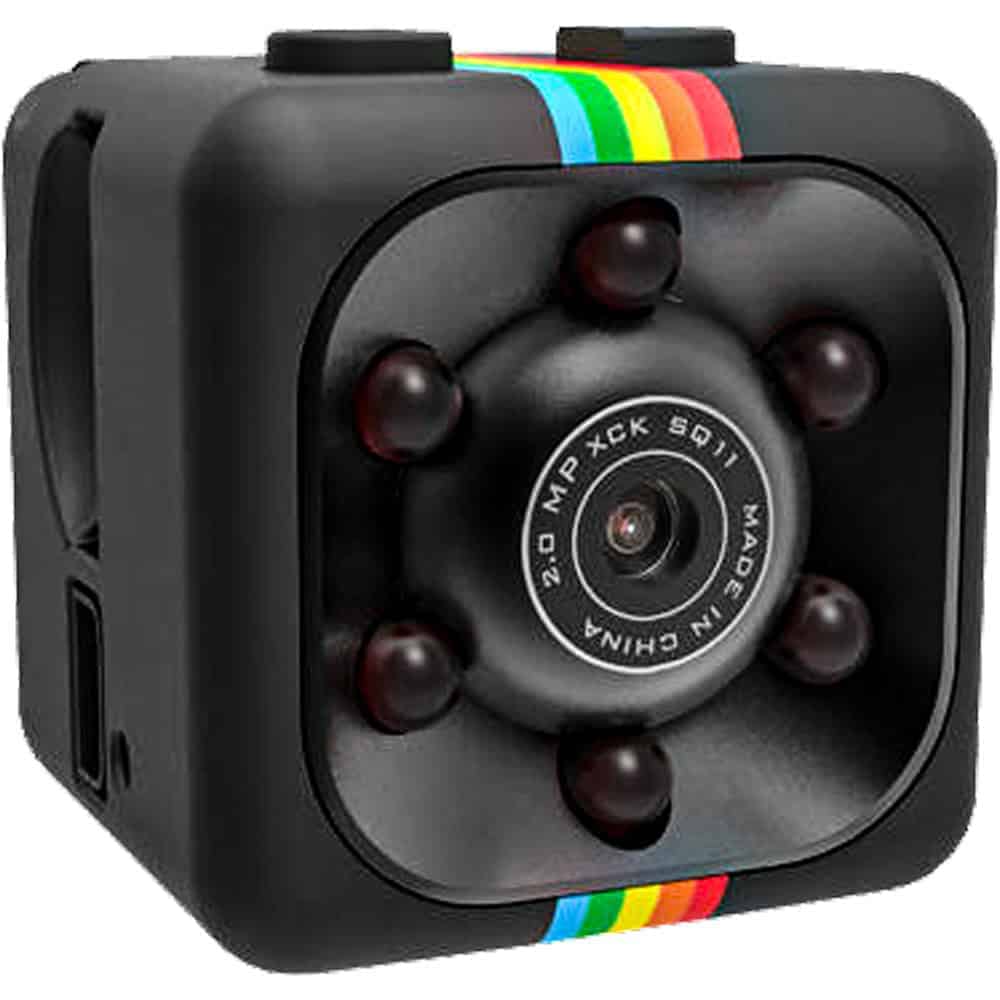


Recording format matters more than you think. There are two main options: motion-activated recording and continuous loop recording. For elderly care, motion-activated is usually the smarter choice—it conserves storage, makes it easier to find relevant footage, and means you’re not sifting through eight hours of an empty living room to find the thirty seconds that matter. The USB Charger Hidden Camera and the Mini Hidden Camera both support motion-activated modes.
Resolution should be 1080P minimum. You need to be able to clearly identify faces, read expressions, and if something goes wrong, potentially provide usable footage to authorities. 720P can look fine on a small screen and fall apart when you need to zoom in. Every camera on this page records at 1080P.
Placement and disguise determine whether it actually works. A camera that gets noticed stops being useful the moment a caregiver or visitor spots it. That’s not about being sneaky for its own sake—it’s about getting an accurate picture of what’s happening in your loved one’s home day to day. A USB charger sitting on a counter, a decorative cross on the wall, or a pen on a desk all pass visual inspection without a second glance.
Built-in DVR means no Wi-Fi dependency. These cameras record directly to a memory card, which is a significant advantage in elderly care situations. You’re not relying on your parent’s router, not worrying about whether the network goes down, and not creating a remotely accessible device that could have its own security vulnerabilities. You check the footage by retrieving the card or the device itself.
Consider the room before you pick the camera. The USB Charger camera is a natural fit for living rooms and bedrooms where outlets are already in use. The Cross camera works in a dining room or bedroom where wall decor is expected. The Mini Camera is flexible enough to place almost anywhere. The Pen Camera is the right call when you need something repositionable that doesn’t require a fixed install.
Start with the highest-priority spaces. In most home care situations, that means the living room where most daily activity happens, and the area where medications are kept or administered. Those two locations will capture the majority of caregiver interactions without requiring you to cover the entire home.
Think about sightlines, not just placement. A camera hidden behind something doesn’t do much good. You want an unobstructed view of the area you’re monitoring—ideally with the lens pointed toward the most trafficked path through the room. The USB Charger camera on a counter at outlet height gives a natural low-angle view of a kitchen or living space. The Cross camera mounted on a wall gives a wider room perspective.
Check your local laws before recording. Recording laws vary by state, particularly around audio capture and whether consent is required when a paid caregiver is present in a private residence. See our Laws & Restrictions page at https://varietyproducts.com/law-and-restrictions/ before you set anything up—this is one situation where knowing the rules in advance matters.
Have a plan for reviewing footage. These cameras record to local storage, so you’ll need to check in periodically—either by visiting or having someone you trust retrieve the card. Set a schedule that matches the frequency of caregiver visits so you’re not dealing with weeks of backlogged footage at once.
A: In most U.S. states, recording video in a private residence you own or have authorization over is legal, particularly in common areas like living rooms and kitchens. Audio recording is where it gets more complicated—many states require at least one-party consent, and some require all parties to consent before audio is captured. Whether the caregiver is an employee or an independent contractor can also affect what’s permissible. See our Laws & Restrictions page at https://varietyproducts.com/law-and-restrictions/ for state-specific guidance before you set up any recording device.
A: This is a judgment call that depends on your parent’s cognitive state and your relationship with them. If your parent has full cognitive capacity, having a conversation about why you want the camera—peace of mind, caregiver accountability, safety documentation—is both respectful and usually legally safer than recording without their knowledge. If your parent has dementia or significant cognitive decline and cannot meaningfully consent or understand the device, the focus shifts to their wellbeing and safety, and many families in that situation monitor without disclosure. Whatever you decide, document your reasoning.
A: All four cameras on this page use built-in DVR storage and record directly to a memory card—none of them require Wi-Fi or a network connection to function. That’s a deliberate advantage for elderly care situations, where routers go offline, network passwords change, and you don’t want your monitoring capability tied to an internet connection. The USB Charger Hidden Camera, Mini Hidden Camera, Cross Hidden Camera, and HD Pen Camera all work completely offline.
A: A visible security camera is a deterrent—it’s designed to be seen and to change behavior. A hidden camera gives you an accurate baseline of what’s actually happening in your parent’s home when nobody thinks they’re being watched. For caregiver monitoring specifically, a visible camera can be pointed away from, blocked, or simply worked around. A device that looks like a USB charger or a piece of wall decor doesn’t create that dynamic. The tradeoff is that hidden cameras typically don’t offer remote live viewing, whereas standard smart home cameras usually do—so the right choice depends on whether you need real-time access or reliable documentation.
A: Bathrooms and bedrooms where your parent undresses are off-limits in virtually every state regardless of who owns the property—placing a camera in those spaces creates serious legal exposure and is an obvious privacy violation. Stick to living rooms, kitchens, dining areas, and hallways where daily care activities and medication management actually take place. If you’re covering a bedroom, position the camera to capture a dresser or medication area rather than the bed itself, and be aware of applicable laws in your state.
Every elderly care setup is different—room size, caregiver schedule, and what you're actually trying to document all affect which camera makes sense. Reach out through our contact page and we'll help you figure out the right fit.
Shop All Hidden CamerasEXCLUSIVE OFFER
Every order – not just your first!
Unlock Your Discount Instantly
Enter your email below and your personal 15% discount code appears right here – no need to check your inbox.
🔒 We respect your privacy. Unsubscribe anytime.
YOU’RE IN!
Use this code on every order
🎉
Here’s Your Code!
Use it now an on every future order.
YOUR DISCOUNT CODE
We also sent this code to your email for safekeeping.