
Something’s been going off the rails at work — inventory keeps coming up short, a client file went missing, or you just have a nagging feeling that what happens when you’re not around isn’t what you’d want to see. You can’t exactly post a sign that says “smile, you’re being recorded” and expect to catch anything useful. What you need is a camera that looks like it belongs there — something that fits on a desk, plugs into a wall, or clips to a lapel without drawing a second glance. That’s exactly what these office-ready covert cameras are built to do.



Recording resolution. In an office setting, you’re often trying to identify faces, read documents, or capture fine detail — a license plate in a parking lot situation, a hand reaching into a drawer, a timestamp on a transaction. All four cameras here record in 1080P HD, which gives you usable footage. Lower-resolution cameras exist at lower price points, but if the footage can’t hold up under scrutiny, it didn’t do its job.
Built-in DVR vs. network streaming. Office environments can be tricky for Wi-Fi-dependent cameras — IT policies, network segmentation, and device whitelisting can all get in the way. Every camera in this lineup includes a built-in DVR that records directly to an internal memory card. No app, no network, no IT department involved. You pull the card, you have your footage. That simplicity is actually a security feature.
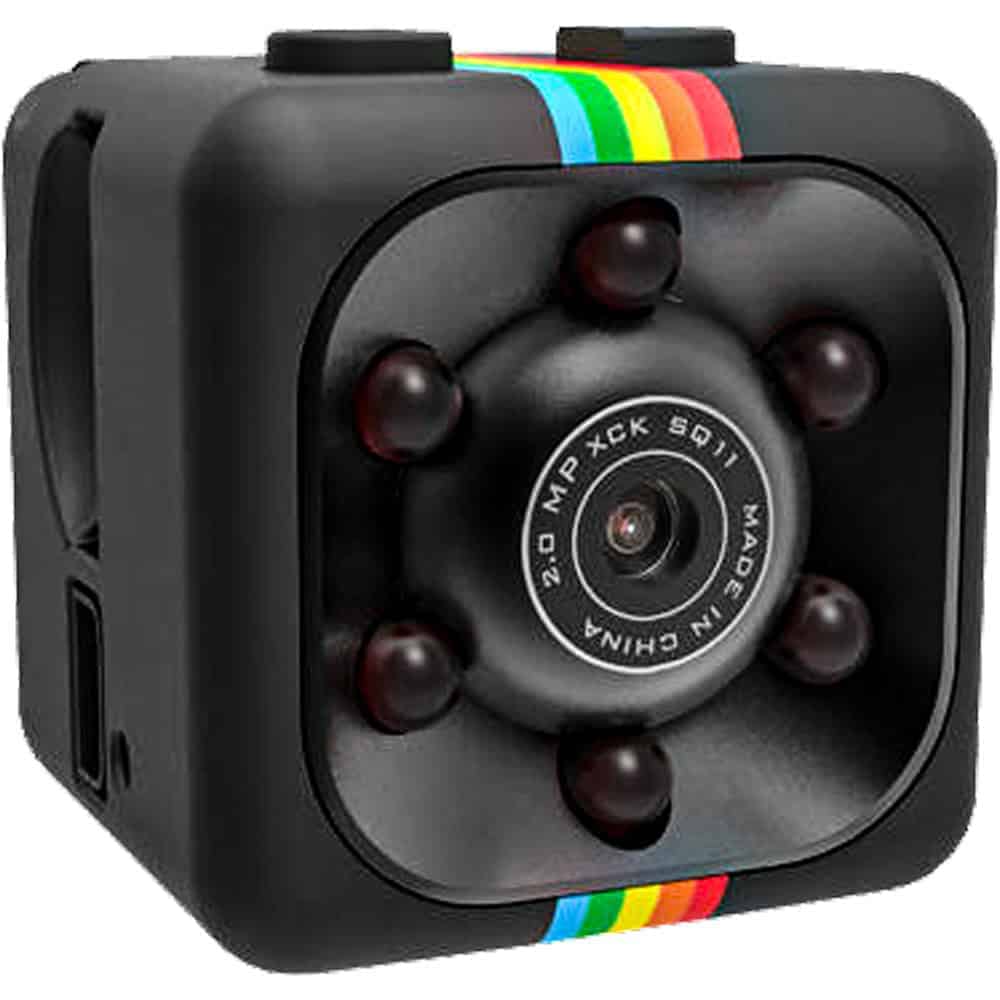
Disguise quality. The USB Charger Hidden Camera earns its place on any desk because a USB charger is already there — nobody gives it a second look. The HD Pen Hidden Camera works in conference rooms, at reception desks, or anywhere a pen sitting out is completely normal. The Mini Hidden Camera gives you placement flexibility when you need to get creative. And the Cross Hidden Camera is genuinely inconspicuous in offices where decor is on the walls. Match the camera to the environment, not the other way around.
Motion activation vs. loop recording. If you’re trying to stretch storage and only care about capturing activity, motion activation is efficient — the camera wakes up when something moves and goes back to standby otherwise. Loop recording keeps the camera running continuously, overwriting the oldest footage when storage fills up. For monitoring a specific time window, motion activation is smarter. For general ongoing coverage, loop recording is more reliable.
Legal and ethical baseline. Before you deploy anything, know what you’re allowed to record in your state and under what circumstances. Recording in common work areas is generally permitted with appropriate notice requirements depending on jurisdiction, but audio recording rules vary significantly. See our Laws & Restrictions page at https://varietyproducts.com/law-and-restrictions/ for a starting point, and consult an employment attorney if you’re in any doubt.
Think like the person you’re watching, not like the person hiding the camera. The most common mistake is placing a camera where it’s easy to hide rather than where it will actually capture what you need. A camera pointed at the ceiling gets you nothing. Before you set up, walk through the space and identify the specific spots where whatever you’re concerned about would happen — the supply cabinet, the cash drawer, the server room door, the parking lot entrance — and work backward from there to placement.
The USB charger belongs on the desk nearest the door or the area of concern. A charger on a desk reads as completely incidental. The HD Pen Camera can go in a pen cup on a shared desk or in a conference room where it captures the whole table. The Mini Hidden Camera gives you flexibility for tighter spots — tucked behind a monitor, on a bookshelf, in a corner. The Cross Camera works well for wall-mounted coverage of a broader area like a reception space or break room.
Test before you rely on it. Set up your camera, record for 10 minutes, and pull the footage before you trust it for anything serious. Check the angle, check the resolution in your actual lighting conditions, check that motion activation fires when it should. Office lighting can be uneven — fluorescent overhead lights create shadows and hot spots that look fine to your eye but wash out on video. Adjust accordingly.
Handle footage with the same care you’d want applied to your own privacy. Footage from workplace cameras can intersect with employment law in ways that go beyond the initial security concern. Limit access to recorded footage to the people who need it, document when you reviewed it and why, and store it securely. This isn’t just good ethics — it protects you legally if the situation escalates.
A: In most U.S. jurisdictions, recording video in common work areas — lobbies, open offices, stockrooms — is legally permitted for legitimate business purposes, though requirements around employee notice vary significantly by state. Recording in private spaces like bathrooms or changing rooms is illegal everywhere. Audio recording is a separate issue and is subject to stricter one-party or two-party consent laws depending on where you are. See our Laws & Restrictions page at https://varietyproducts.com/law-and-restrictions/ for more detail, and consult an employment attorney before deploying any covert recording system.
A: All four cameras in this lineup use a built-in DVR that stores footage directly to a memory card — there’s no app, no Wi-Fi dependency, and no cloud account required. To review footage, you remove the memory card and insert it into a computer or card reader. This approach keeps your recordings completely off the network, which matters in office environments where IT policies can complicate internet-connected devices.
A: Motion-activated recording conserves storage by only capturing footage when movement is detected — useful if you’re monitoring a specific area and don’t want to sort through hours of empty hallway. Loop recording keeps the camera running continuously and overwrites the oldest footage when the card fills up, which ensures you never miss anything due to a lull in activity that preceded an event. For overnight monitoring or time-sensitive situations, loop recording is generally the safer choice.
A: A visible camera system is a deterrent — people who see a camera tend to behave differently, which can prevent problems before they happen. A hidden camera captures what people actually do when they think no one is watching, which makes it more useful for investigating an existing problem rather than preventing new ones. For most offices, the smart answer is both: visible cameras at entrances and key areas for deterrence, and a covert camera like the USB Charger Hidden Camera or HD Pen Hidden Camera in specific areas where you need documentation of actual behavior.
A: Start by identifying the specific location where your concern is centered — a cash drawer, a filing cabinet, a server rack, a shared storage area — and work backward from that point. The USB Charger Hidden Camera works best on a desk or shelf near the area of concern, since a charger belongs on any desk and draws no attention. The HD Pen Hidden Camera covers a conference table or shared workspace naturally. The Mini Hidden Camera gives you flexibility for tight spots or creative placement behind objects. Test your angle and lighting before you rely on any placement.
Every office situation is a little different — layout, lighting, what you're trying to document — and we're happy to help you find the right fit. Reach out through our contact page and we'll point you in the right direction.
Shop All Hidden CamerasEXCLUSIVE OFFER
Every order – not just your first!
Unlock Your Discount Instantly
Enter your email below and your personal 15% discount code appears right here – no need to check your inbox.
🔒 We respect your privacy. Unsubscribe anytime.
YOU’RE IN!
Use this code on every order
🎉
Here’s Your Code!
Use it now an on every future order.
YOUR DISCOUNT CODE
We also sent this code to your email for safekeeping.